 Norma
Norma
Norma › Document Management
Document tracking and management
Your own documents and the legislation share one search box — and the AI treats both as sources.
Corporate documents usually live in a shared folder: no search, no versioning, and no clarity about who can see what. Finding which regulation a contract rests on means searching two separate places.
Norma puts your documents next to the legislation. One query searches both, and when you ask the AI a question your own files are used as sources too.
Your own documents
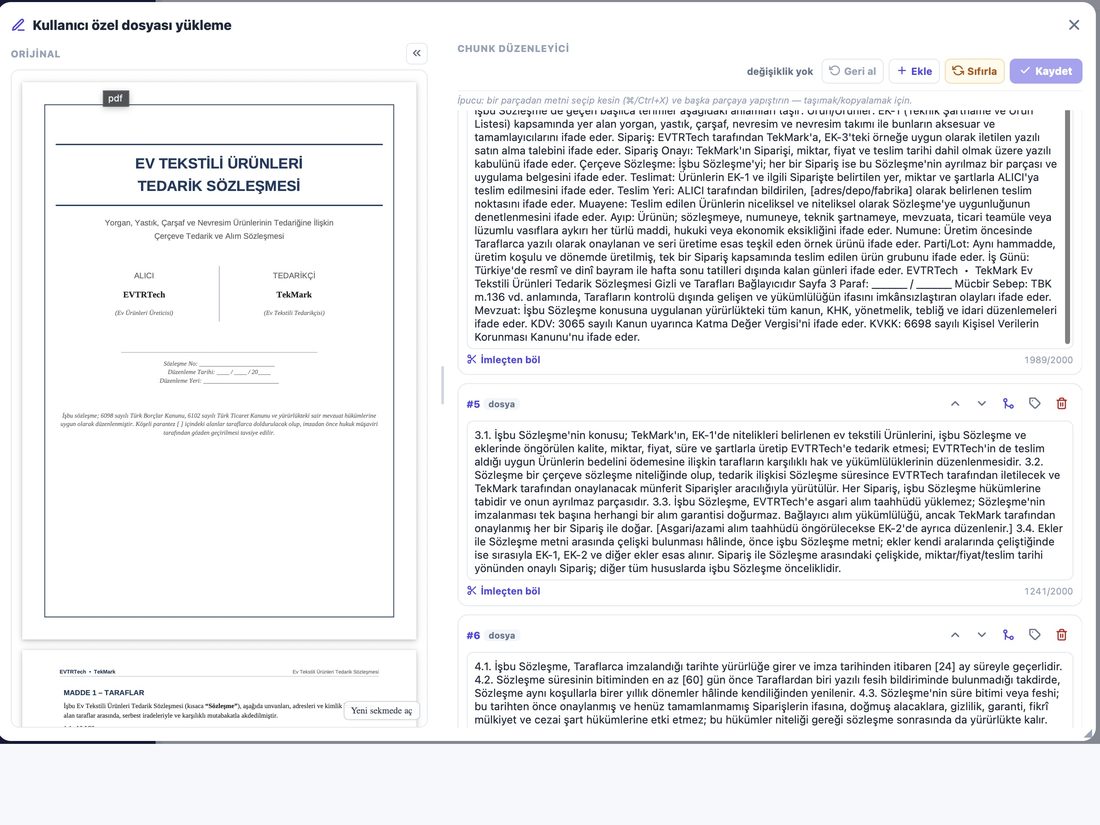
- Upload
- Contracts, internal policies, case files, forms.
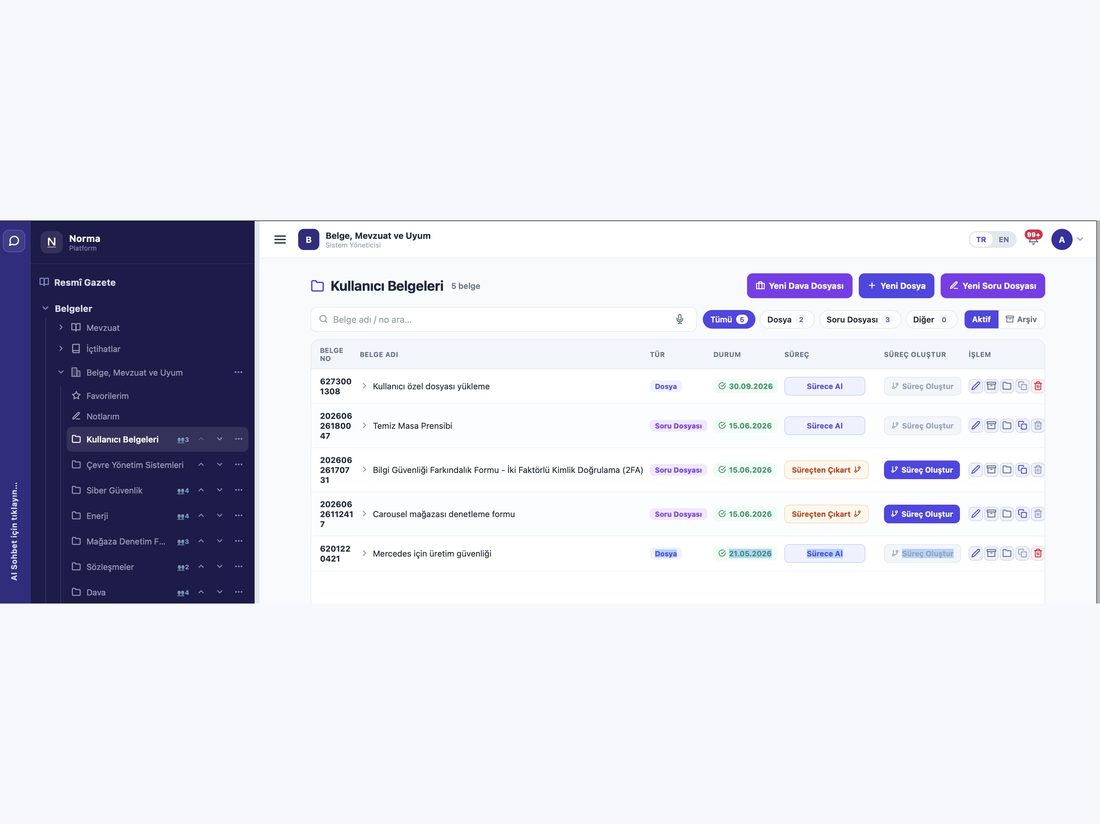
- Folder structure
- Create, edit and delete; organise it your way.
- Classification
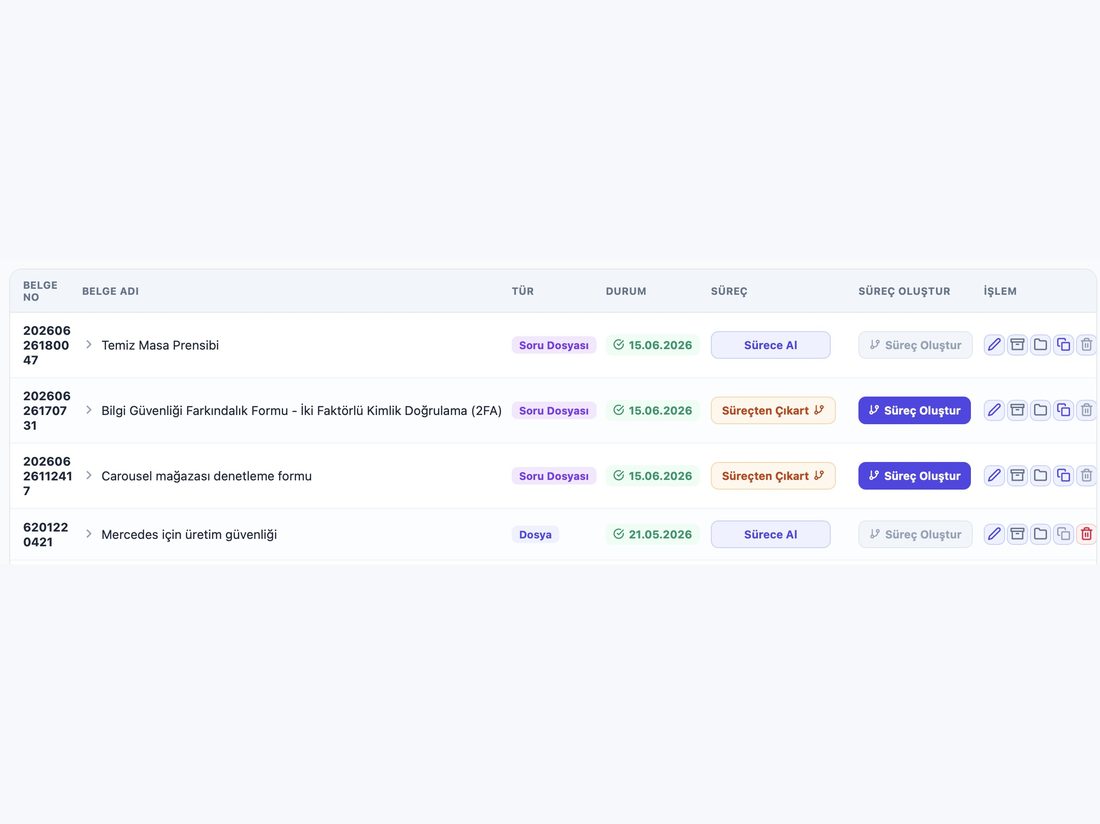
- Order by type and folder.
Searched with the legislation
- One query
- Your documents and the legislation in the same search box.
- As an AI source
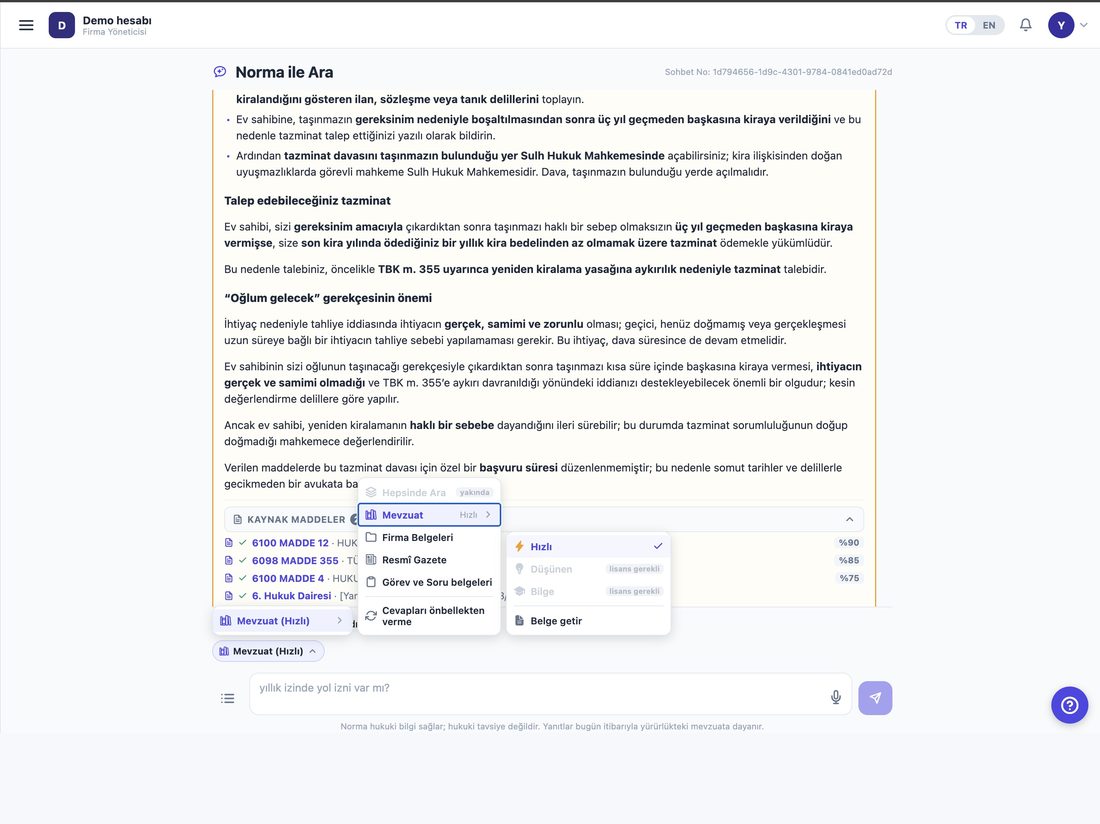
- When you ask a question your files are cited too — the answer shows which document it came from.
- Scope selection
- Choose where the search runs: legislation only, your documents only, or both.
Visibility and confidentiality
- Role-based
- Who sees which folder follows role and department.
- Confidential wall
- Documents marked “visible to assignees only” are hidden even from the company administrator. That is a deliberate boundary.
- Closed to externals
- People joining a workflow from outside cannot reach company documents.
- Audit trail
- Opening, downloading and deleting are recorded.
- Your own server
- If you prefer, Norma runs on your own infrastructure and documents never leave your organisation.
Working on a document
- Notes
- Attach your own notes to a document or an article.
- Favourites
- Flag the ones you return to and reach them from a single list.
- Open a task
- Create a task straight from a document, with an owner and a deadline.
- Turn it into a form
- Convert a document into a question file and have it completed by your team or by external participants.
Typical uses
- Contract archive
- Keep active contracts searchable and track renewals as tasks.
- Internal policies
- Hold procedures in one place and let each team see only what concerns it.
- Audit folder
- Gather the documents an audit needs into one folder and open only that.
- Matching regulation to policy
- When a regulation changes, ask the AI which of your internal documents are affected — your own files are searched too.
Product screens
Screenshots from a demo account running on real data.
Who uses it?
- Legal and contract teams
- Upload contracts and search them with the legislation.
- Human resources
- Keep internal policies in one place with controlled access.
- Quality teams
- Organise procedures and reach them quickly during an audit.
- Small and medium businesses
- Get document order without buying a separate DMS.
Frequently asked questions
Which file types can I upload?
Text documents such as contracts, internal policies and case files. Uploaded documents become searchable and are used as AI sources.
Who can see my documents?
Visibility follows role and department. Documents marked “visible to assignees only” are hidden even from the administrator.
Can the AI search my own documents?
Yes. Select “Company documents” as the scope and the question is answered from your files.