 Norma
Norma
Norma › Case Law
Turkish case law search
Which decisions cite this article, and what did the court actually say — legislation and case law in the same query.
Reading the statute is rarely enough: to see how a provision is applied you need the case law. Searching two separate sources and matching the results by hand costs time.
In Norma legislation and case law sit in the same corpus. Open an article and you see the decisions citing it; open a decision and you can jump to the provisions it rests on.
Six judicial bodies
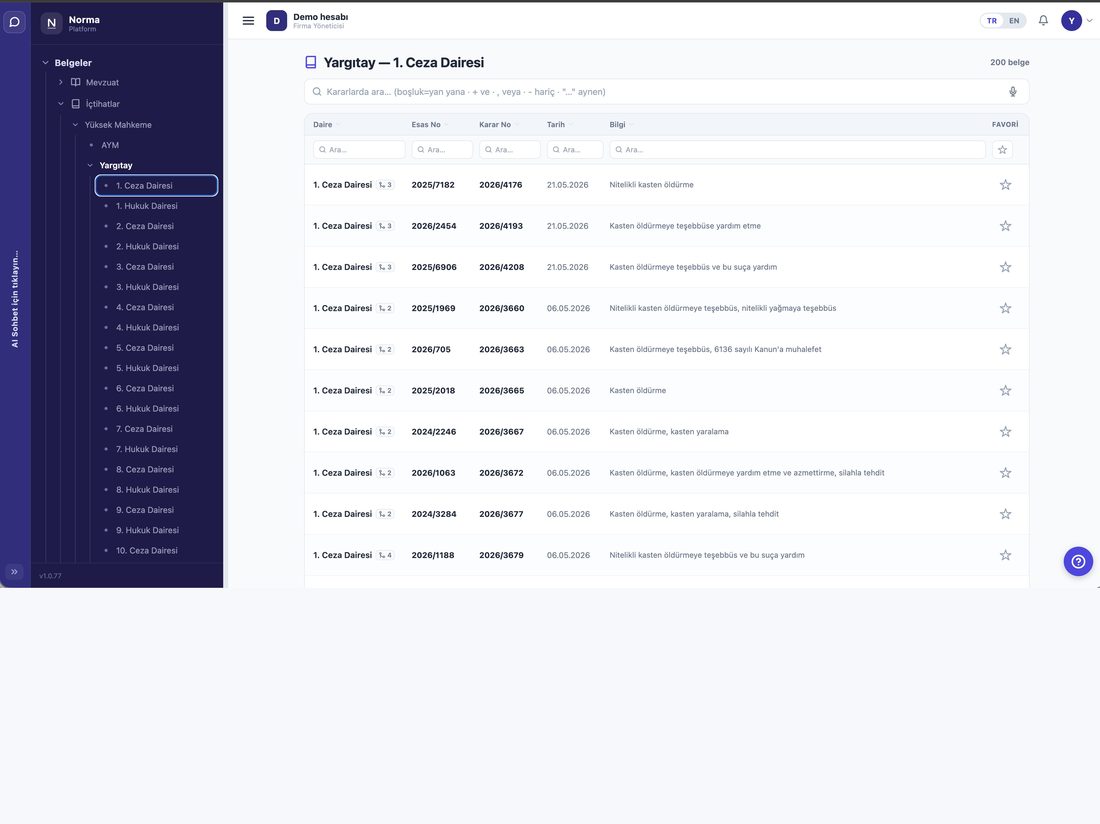
- Court of Cassation
- 49 chambers, filterable individually.
- Council of State
- 26 chambers.
- Regional Courts of Appeal
- 111 chambers — appellate decisions.
- Constitutional Court
- Norm review and individual applications.
- Court of Accounts
- 9 chambers — public financial audit.
- Court of Jurisdictional Disputes
- Conflicts of jurisdiction and judgment.
How to search
- By case number
- Enter the docket or decision number directly.
- By subject
- The same operators as in legislation search apply here.
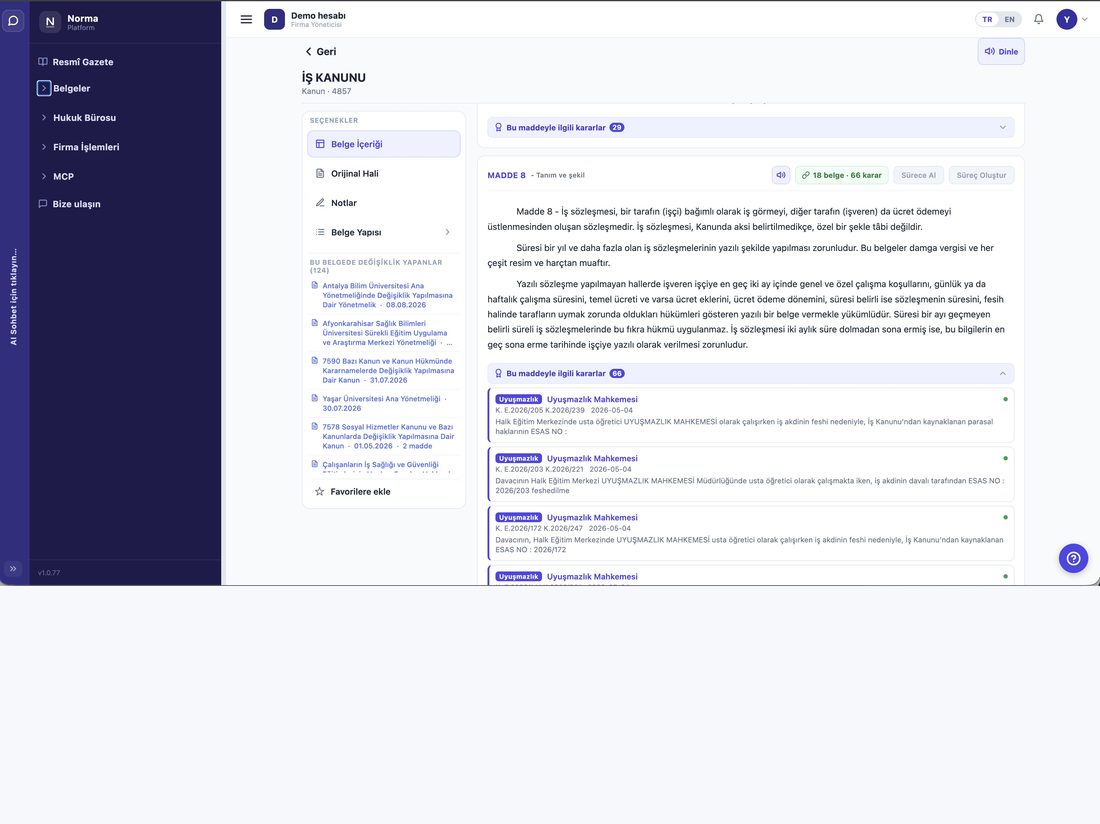
- From article to decision
- Open a provision and follow “decisions on this article”.
- Chamber filter
- Narrow the search to the chamber you care about.
The decision record
- Court and chamber
- Which body, which chamber.
- Docket and decision number
- The citation you will use.
- Decision date
- So you can follow how case law shifted over time.
- Subject line
- Marked according to its source — a decision's “outcome” and its “subject” are shown as different things.
Together with the AI
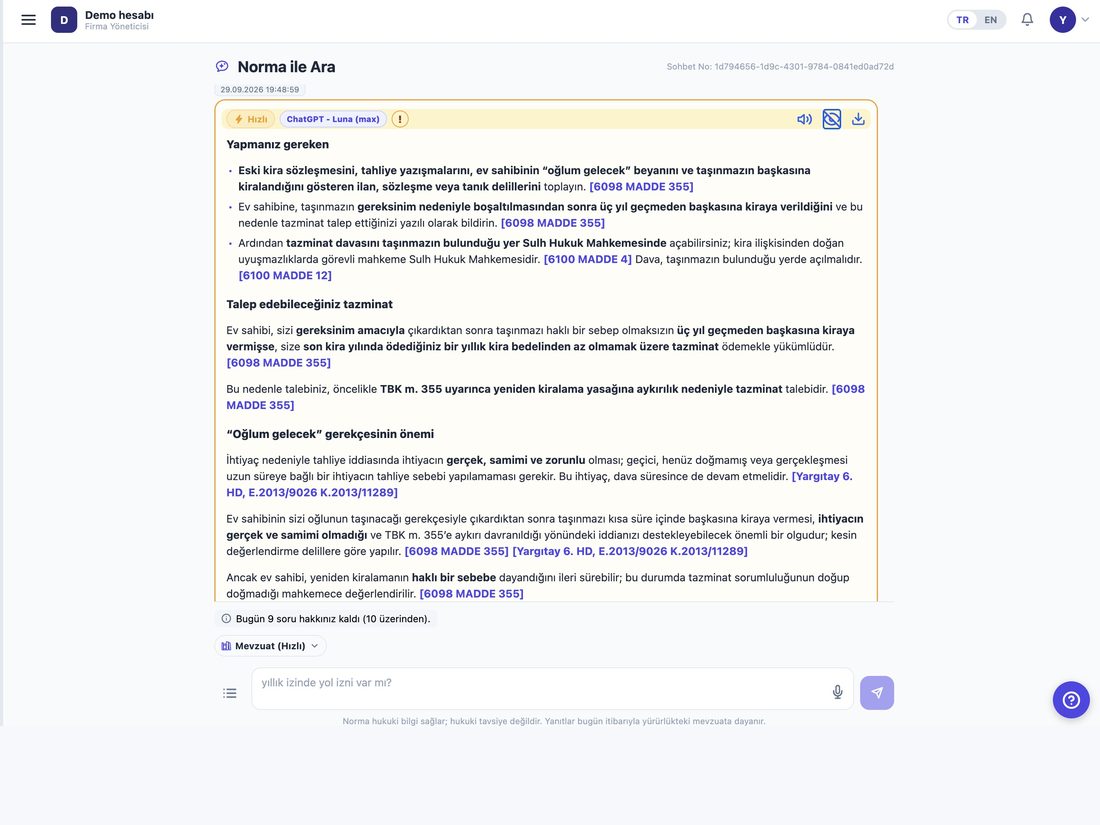
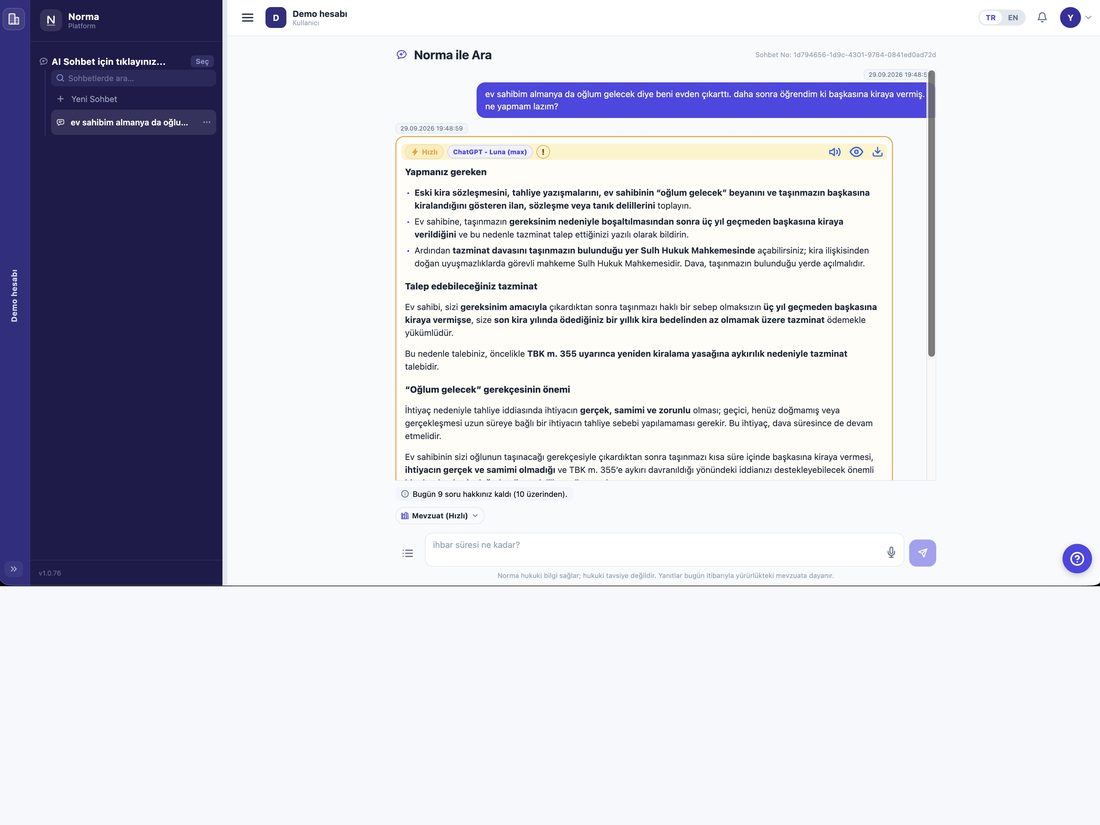
- Sourced answers
- Answers show both the legislative article and the court decision behind each statement.
- Confidence signal
- Whether a source was actually used in the answer is shown separately.
- Separate permission
- Case law access is a distinct permission; a firm may work with legislation only.
Typical uses
- Finding precedent
- Type the subject of your dispute and narrow by court and chamber to see how the question was decided before.
- Seeing a provision applied
- Open the article and follow “decisions on this article” to read how it is interpreted in practice.
- Comparing chambers
- Use the chamber filter to compare how different chambers approach the same question.
- Verifying a citation
- Enter a docket or decision number you already have and reach the full text.
How decisions link to legislation
- From decision to provision
- Legislative references inside a decision are clickable and take you to the current wording.
- From provision to decisions
- Open an article and a badge shows how many decisions cite it.
- Repealed-provision warning
- If a decision rests on a provision that has since been repealed, that status is marked on the legislation side.
Product screens
Screenshots from a demo account running on real data.
Who uses it?
- Litigators
- Find precedent narrowed by court and chamber, then jump to the provision the decision relies on.
- In-house counsel
- See how a provision is interpreted in practice.
- Academics and researchers
- Follow how case law on a subject developed and compare the approach of different chambers.
Frequently asked questions
How current is the case law?
The corpus is refreshed regularly; newly published decisions are added.
Can I read the full text of a decision?
Yes, and the legislative references inside it are clickable.
Is case law a separate licence?
Case law access is a separate permission. Firms that only need legislation can use the system without it.