 Norma
Norma
The most expensive mistake in a law office is a missed deadline. Response, appeal, cassation, limitation — each starts from a different event and runs for a different length. A diary works, until one notification slips through.
Norma's law office module puts deadlines on rules: you define the type and its trigger, and the system calculates the date and places it on the calendar.
Client management
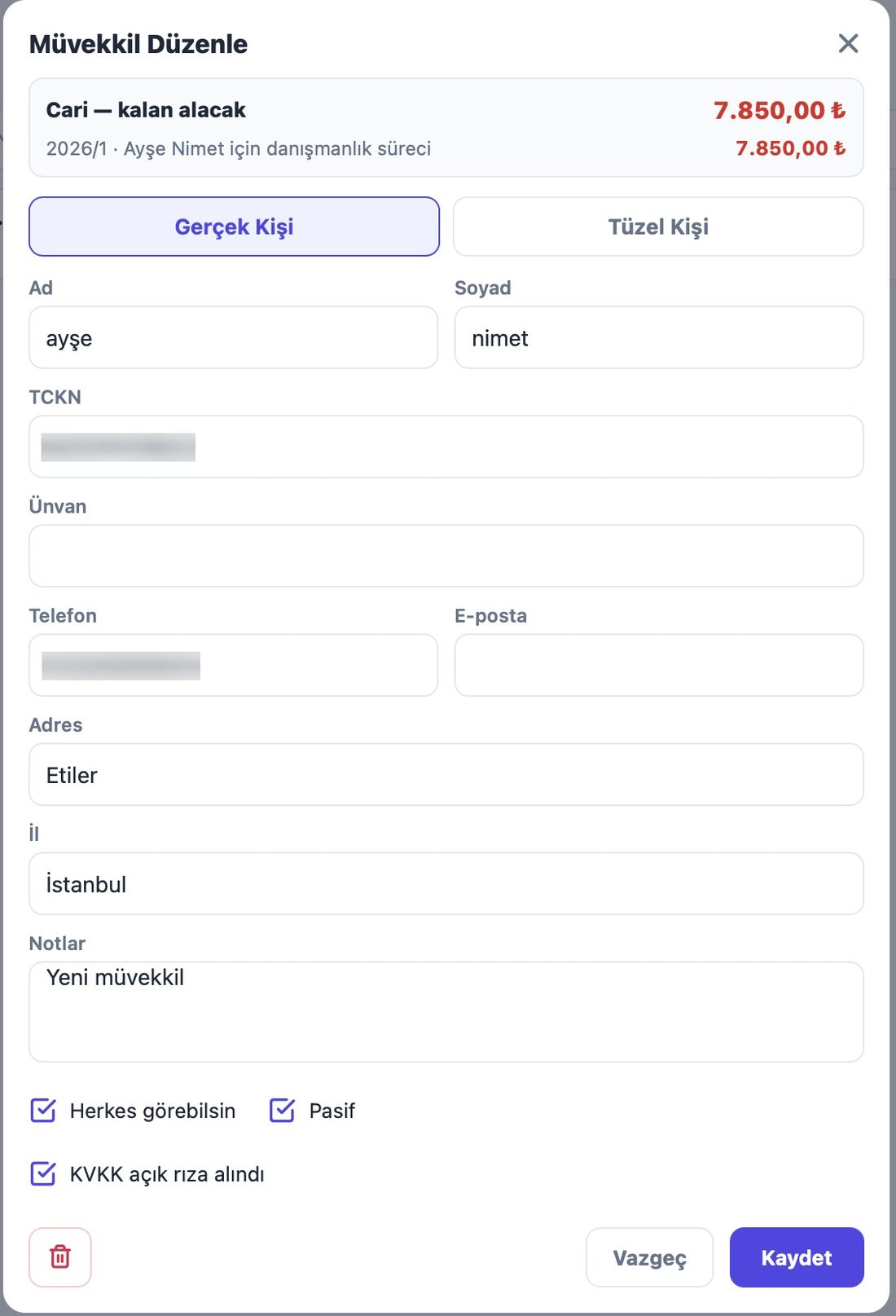
- Individuals and entities
- Separate fields for each, with national ID and tax number.
- Contact and address
- Email, phone, address, city.
- Consent record
- Data-protection consent is recorded on the client card.
- Financial summary
- Collections, expenses and balance per client.
Case files
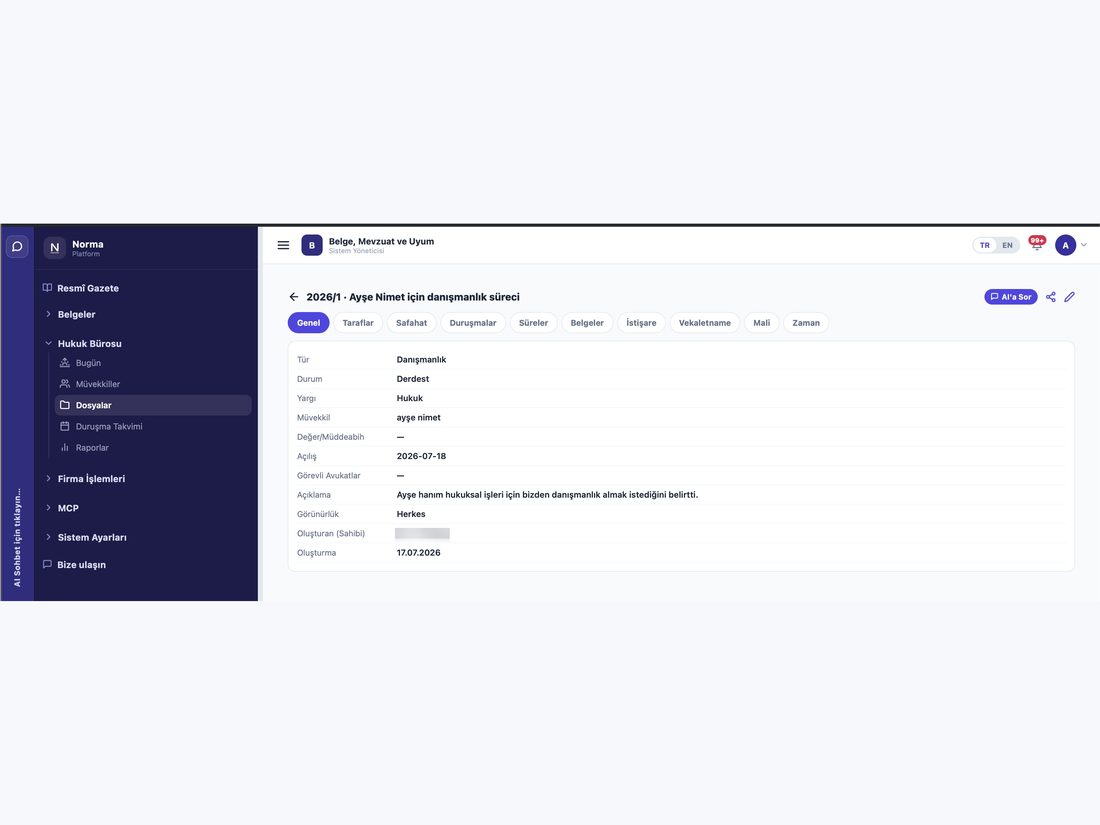
- Five jurisdictions
- Civil · Criminal · Enforcement · Administrative · Tax.
- File status
- Open · Pending · Archived.
- Parties
- Claimant, respondent and others, with identifiers.
- Procedural stages
- The stages a file has passed, including judgment.
- Responsible lawyer
- Who is running the file.
Deadline management
- Six deadline types
- Response · Appeal · Objection · Cassation · Limitation · Custom.
- Three triggers
- Service · Pronouncement · Manually entered date.
- Rule-based
- Define rules per jurisdiction and deadline type; the system calculates the date.
- Days or weeks
- The unit follows the rule.
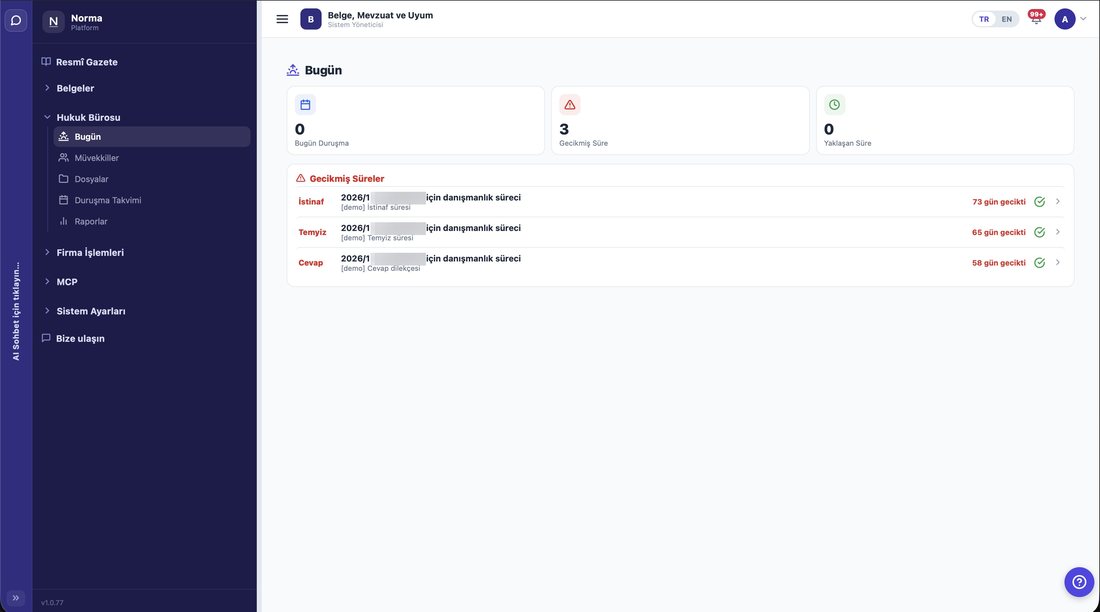
- Missed deadlines
- Shown separately, so nothing hides.
Hearing calendar
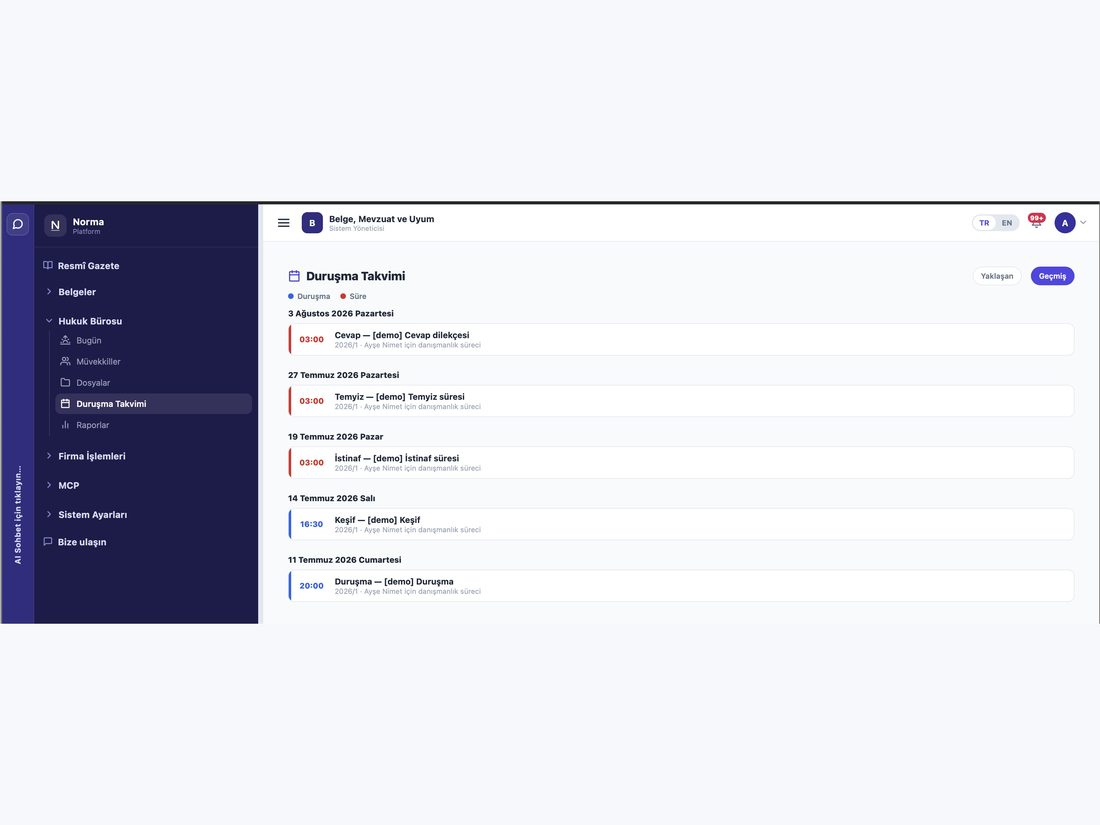
- Four hearing types
- Hearing · Site visit · Expert examination · Deliberation.
- Three states
- Pending · Postponed · Held.
- Today view
- What is due today, how many days left, how many overdue.
Not every file is a lawsuit
- Five file types
- Litigation · enforcement · investigation · advisory · mediation.
- Multi-stage procedure
- A file passes through first instance, appeal and cassation, and each stage takes a new docket number. Norma keeps them as stages under one file.
- Party roles follow the jurisdiction
- Claimant/respondent in civil, defendant/complainant in criminal, creditor/debtor in enforcement.
- Powers of attorney
- Held against the client; marked as file-specific or general.
Time and money
- Time tracking
- Log work per file; the amount follows from minutes and the hourly rate.
- Financial record
- Fees, expenses and collections are separate; the balance follows.
- Ethical wall
- If a file is confidential, its financial and time records are too. Someone who cannot see the file cannot see its money.
Hearing and deadline automation
- The next hearing opens itself
- Enter the next date while recording an outcome and a new hearing record is created automatically.
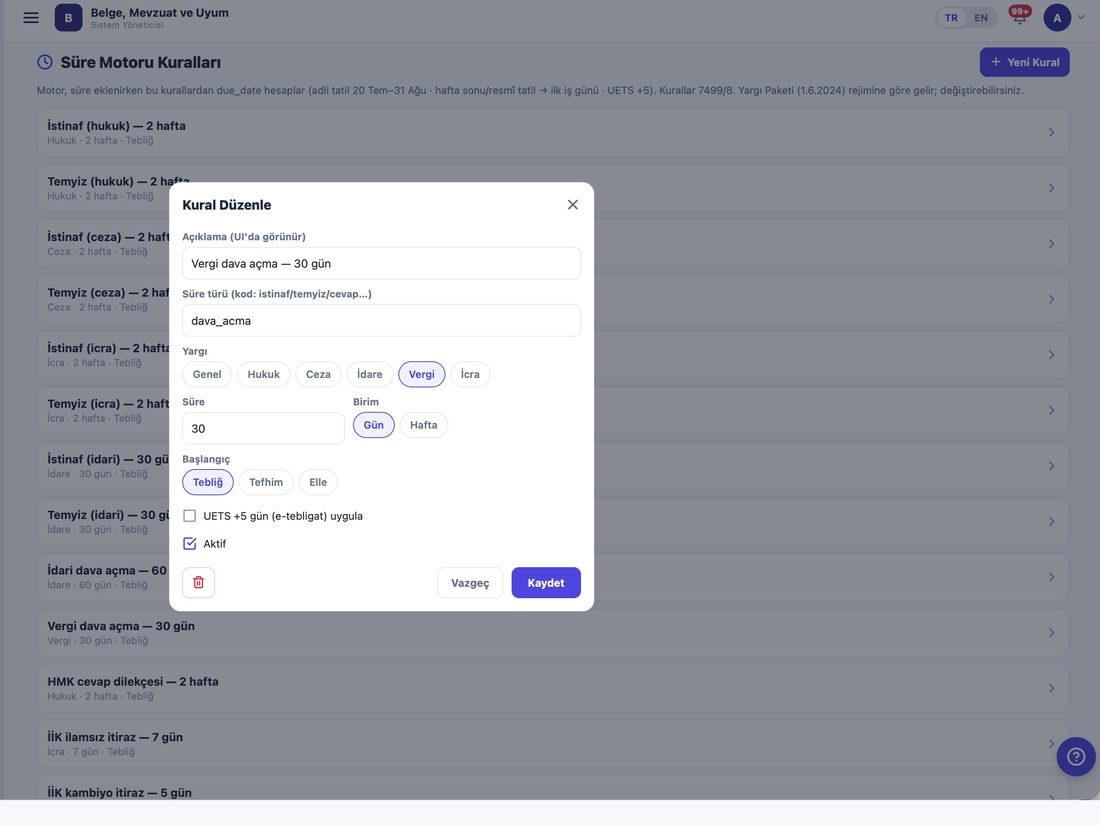
- Judicial recess and weekends
- The deadline engine accounts for both when calculating dates.
- Calculated, but overridable
- You are not bound by what the engine finds; you can set the date yourself.
- Editable rule table
- Deadline rules are not hard-coded; they are defined per jurisdiction and type.
Reports
- File distribution
- By jurisdiction, type and status.
- Lawyer workload
- How many files each lawyer carries.
- Upcoming hearings and deadlines
- What is coming.
- Financial summary
- Total collections, expenses and outstanding balance.
Together with legislation and compliance
- One system
- Litigation sits alongside legislation tracking and compliance workflows; you do not switch tools to check a provision.
- From file to provision
- Open the legislation a file relies on without leaving the case.
- Shared permissions
- Access is governed by the same role model as the rest of the product.
- Audit trail
- Who opened which client card or financial summary is recorded.
Product screens
Screenshots from a demo account running on real data.
Who uses it?
- Solo practitioners
- Files, hearings and deadlines in one place.
- Law firms
- Track workload per lawyer and distribute files accordingly.
- Corporate legal departments
- Manage litigation alongside legislation and compliance in the same system.
Frequently asked questions
Are deadlines calculated automatically?
Yes. You define the type and its trigger; the system calculates the date and puts it on the calendar.
Which jurisdictions are supported?
Civil, criminal, enforcement, administrative and tax. Deadline rules can be defined per jurisdiction.
When will this module be available?
Development is complete and release preparation is under way. Sign up and we will let you know when it opens.