 Norma
Norma
Norma › Compliance
Compliance workflows and task management
The legislation changed — now who does what? Norma turns the change into a trackable task and keeps a record of what was done.
Your own internal processes and procedures changed, or the country or company you work with published a new set of rules you must follow — Norma steps in here too: it lets you bring those documents into the system and build compliance workflows on top of them.
The hard part of compliance is not learning about the change; it is managing what comes after. Who does what, by when, and did they? In most organisations that lives in email threads. When the auditor arrives, saying “we handled it” is not enough — you have to show it.
Norma ties every task to the article it came from. Years later it is still on record which provision triggered the task, who did what, and when it closed.
Tasks tied to legislation
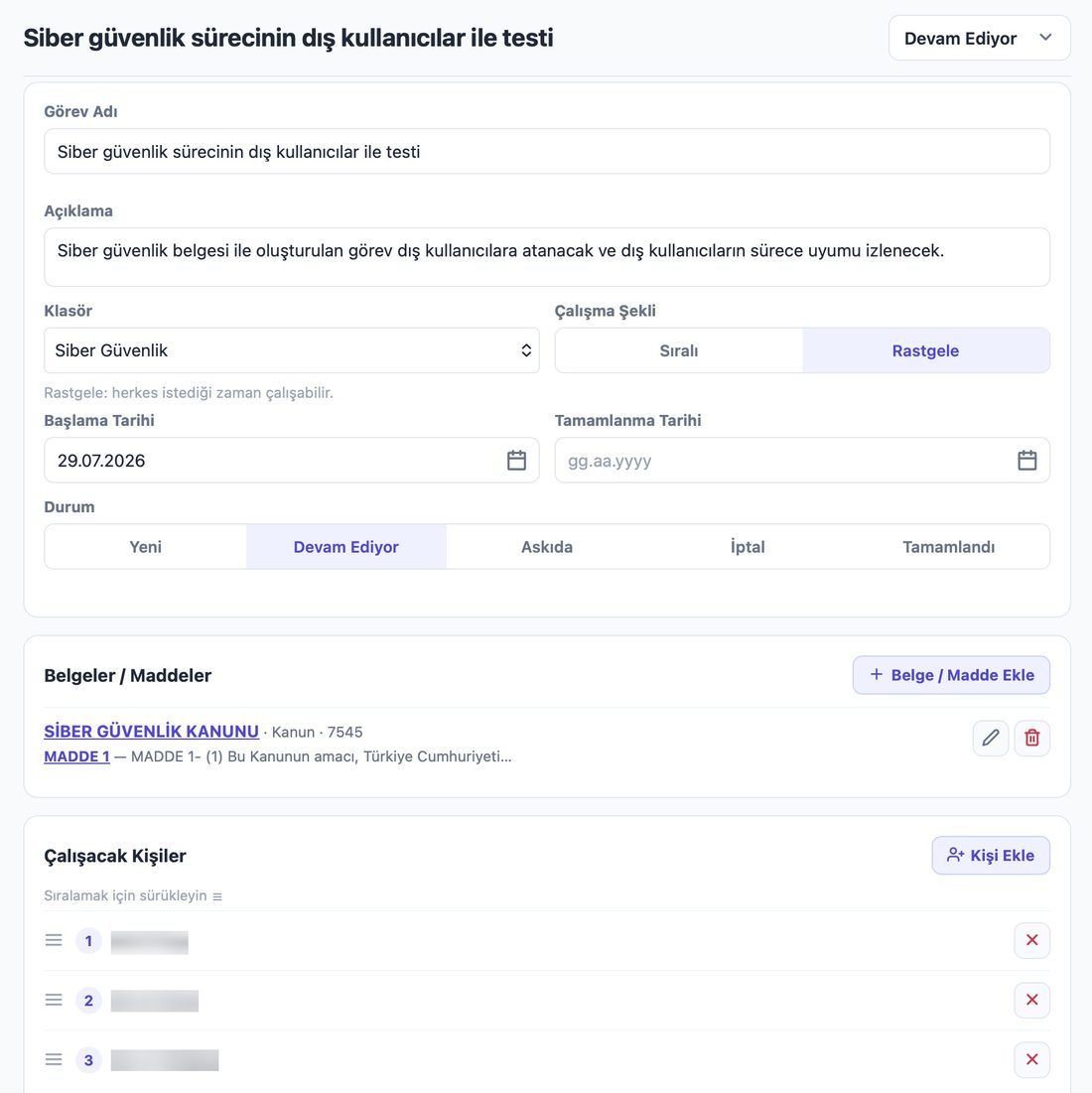
- Which provision triggered it
- A task is linked to a legislative article. The answer to “why was this opened” is on record.
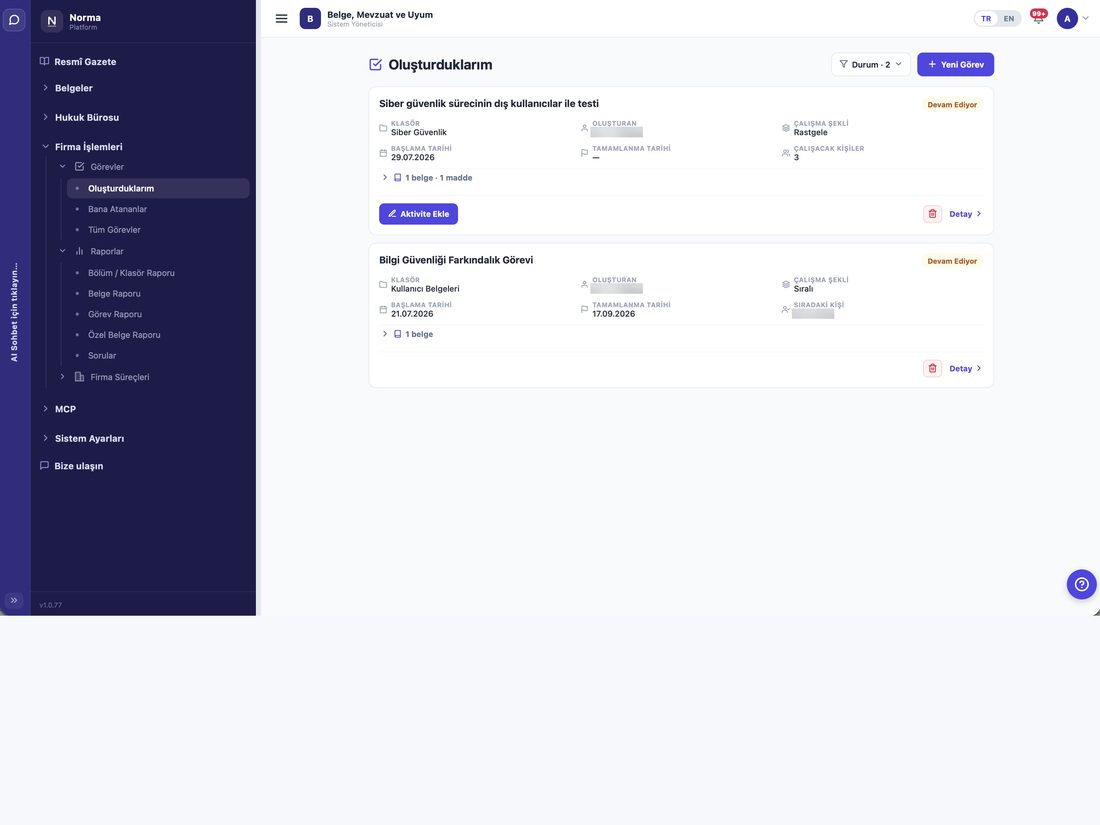
- Owner and deadline
- Who does it, by when.
- Five states
- New · In progress · On hold · Cancelled · Completed.
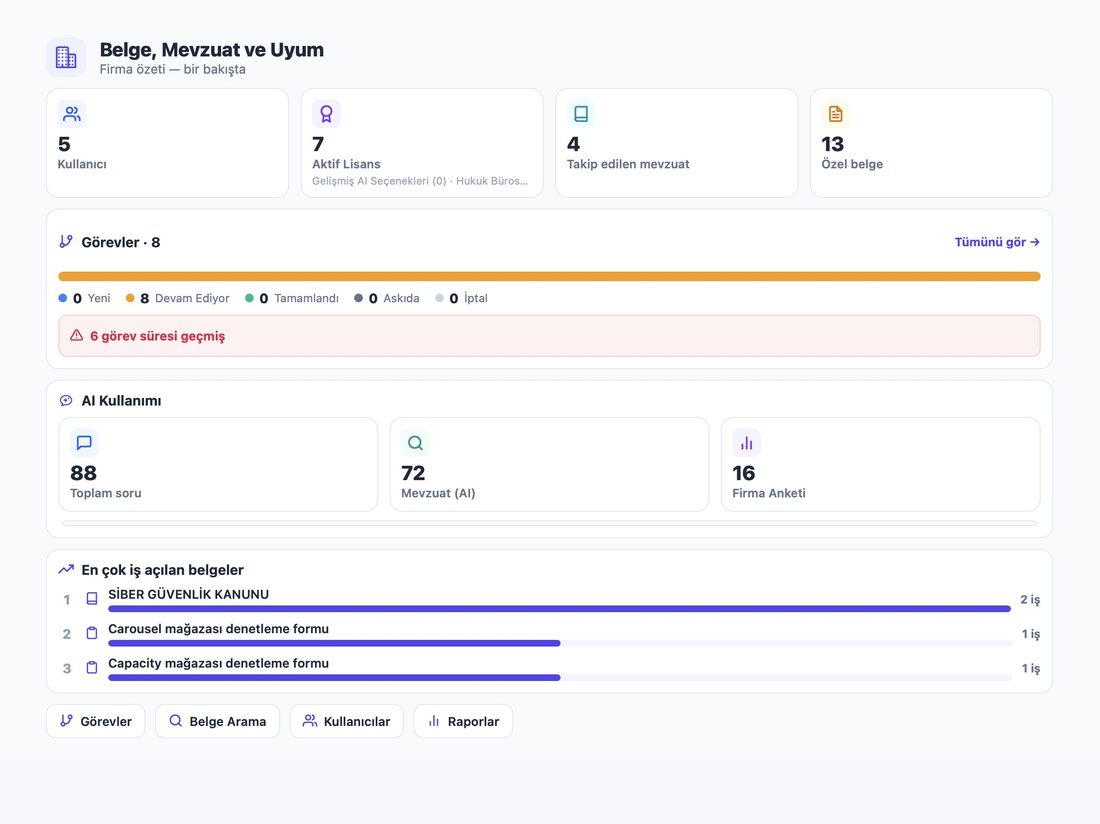
- Overdue items
- Flagged separately on the dashboard.
How work flows
- Sequential
- People work in order; the next cannot start before the previous finishes. For approval chains.
- Free order
- Anyone can work at any time. For surveys and data gathering.
- Whose turn
- In sequential tasks the current person is shown.
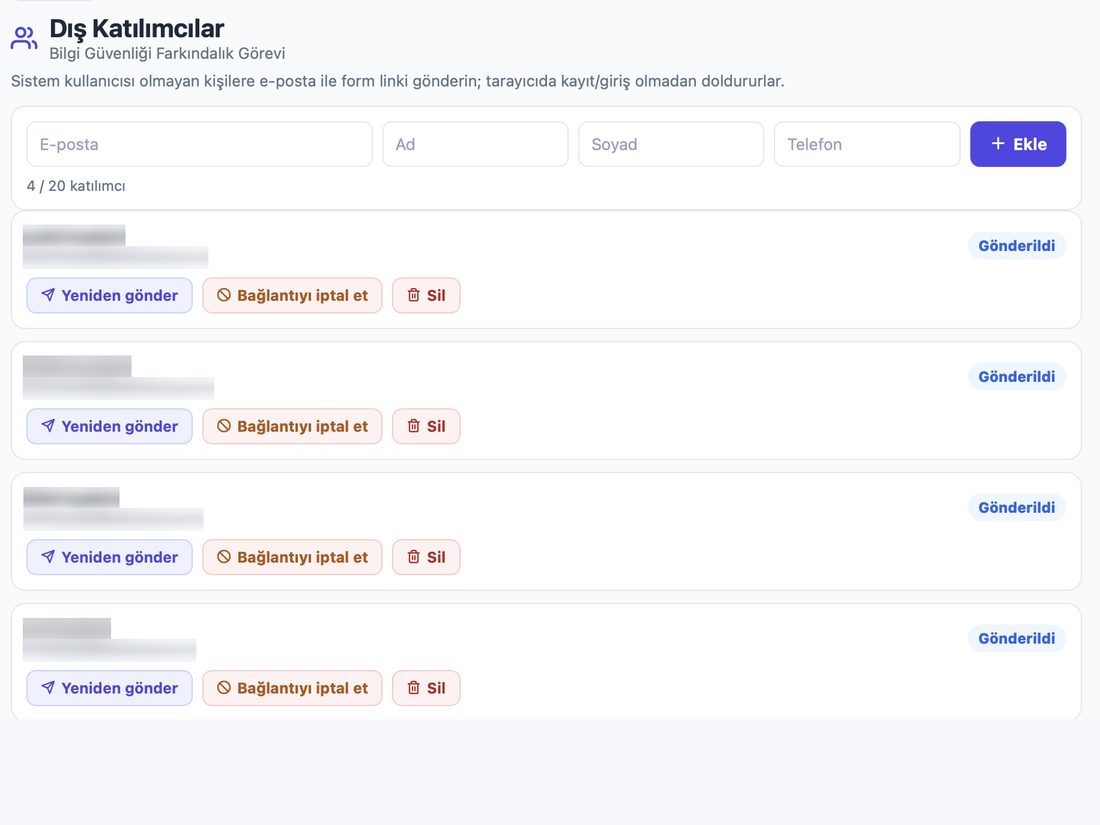
External participants — no account needed
- A link by email
- People outside the company receive a form link and fill it in without registering or signing in.
- Suppliers and consultants
- For people who must take part but should not become system users.
- Link management
- Resend, revoke, or remove a participant.
- Limited access
- An external participant sees only their own form and never your company documents.
Your own forms
- Build a form
- Create your checklist or survey and attach it to a task.
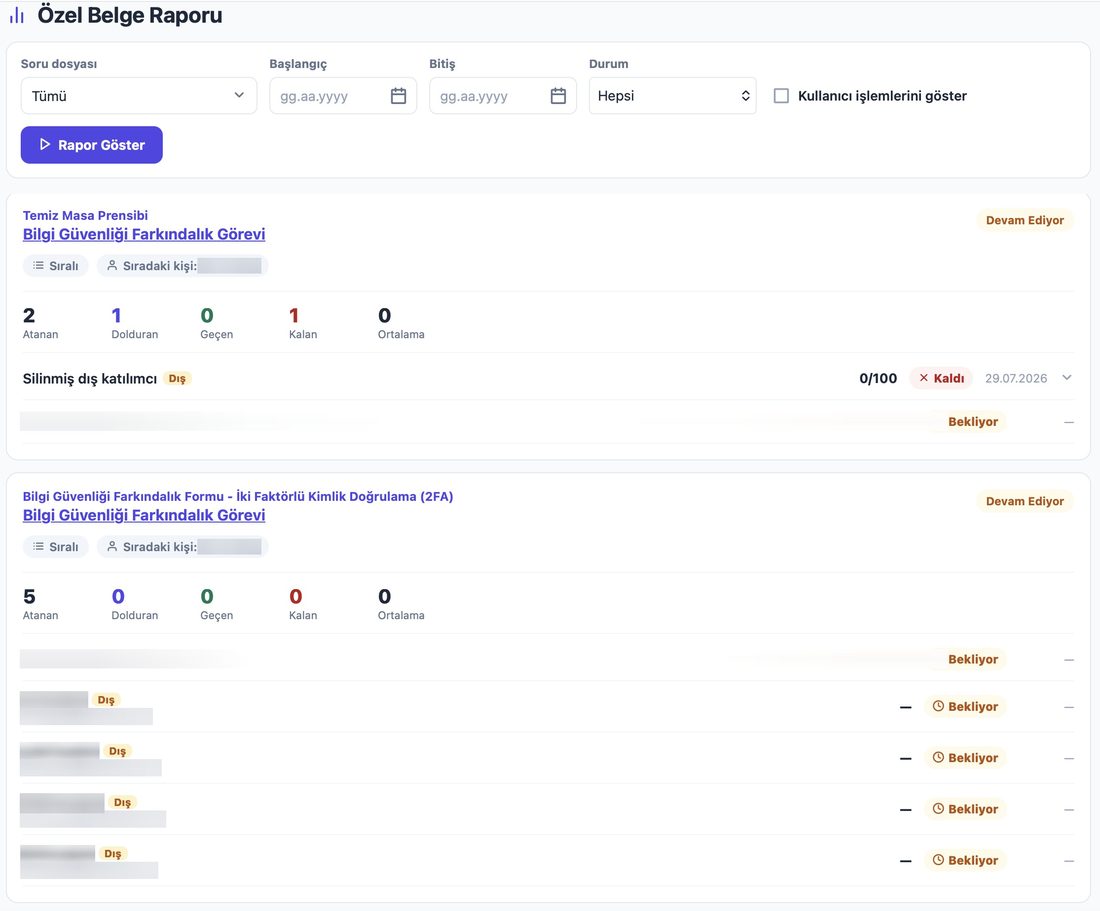
- Who filled it, who is pending
- Assigned, completed, passed and remaining counts are reported separately.
- Scoring
- Form results can be tracked as an average.
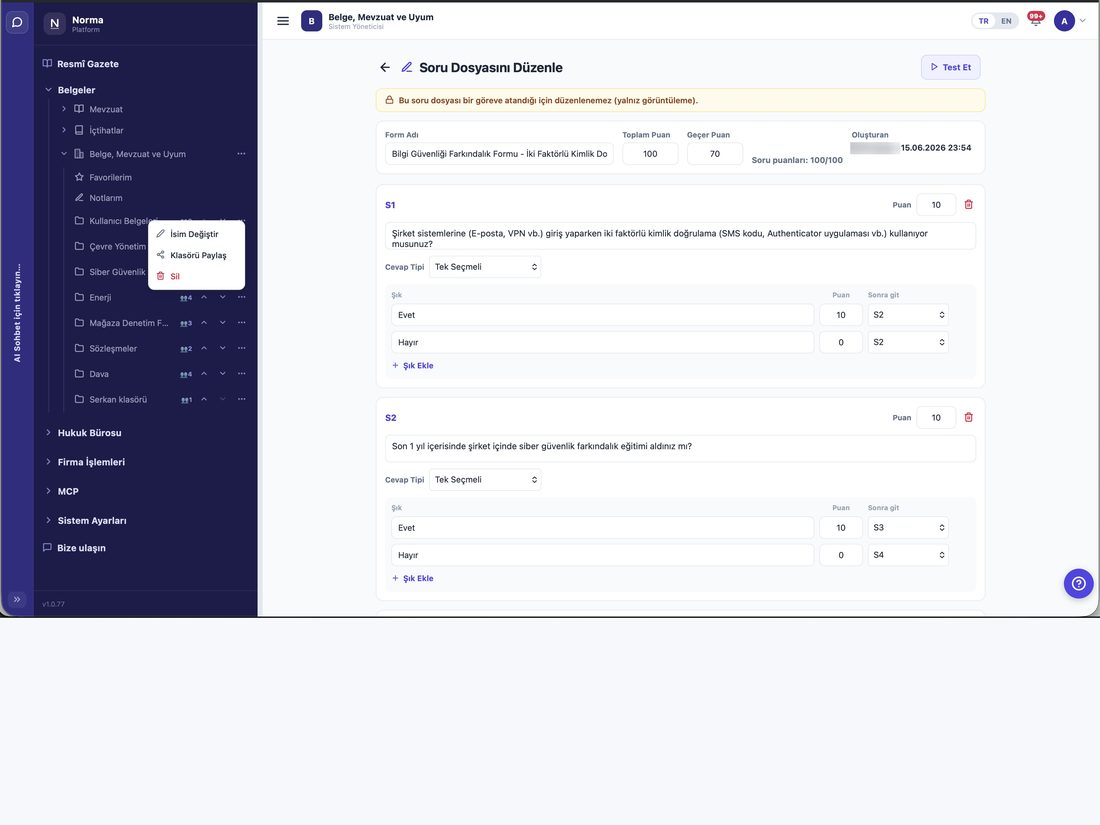
Question files — scored and branching
- A pass mark
- Build the form with scores and set a pass threshold. Results are reported as passed or failed, so you can measure processes by that yardstick.
- Branching questions
- The next question can depend on the previous answer — nobody fills in a long form that does not apply to them.
- Internal users get one shot
- Once submitted from inside the firm, the form locks.
- External participants can pause
- Someone joining from outside can leave the form as a draft and continue where they left off from the same link.
Changes to the underlying law are caught
- If the provision changes mid-task
- You tied a task to an article and work is under way. If that article changes before the task closes, you are told immediately — the ground your plan stood on has moved.
- The document is sealed into the task
- Which text the work was based on stays on record.
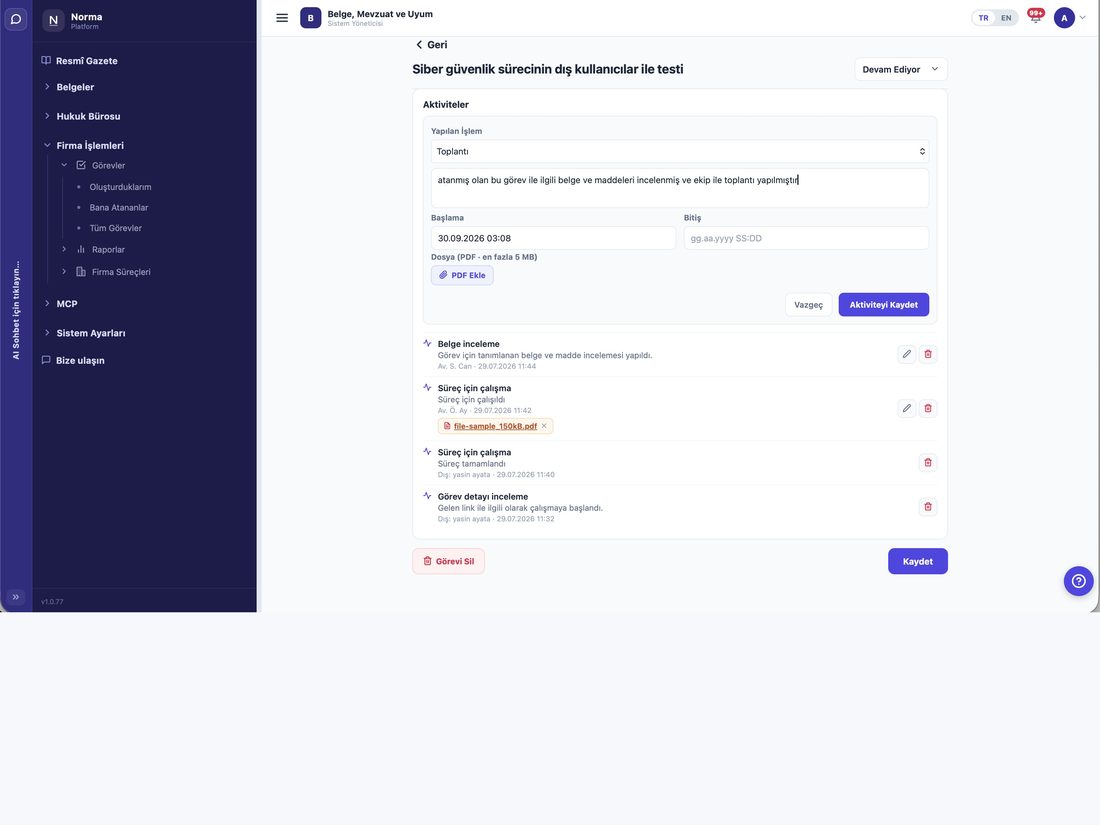
Activity log
- Attach a document
- Evidence of the work done sits inside the task.
- Automatic closure
- Each assignee marks their own part complete; when everyone has, the task closes itself.
- External activity survives deletion
- Remove a participant and their entries remain, marked as belonging to a deleted external participant.
- Reorder by hand
- In sequential work you can drag the order around.
Reports
- Folder report
- How much work sits in each folder.
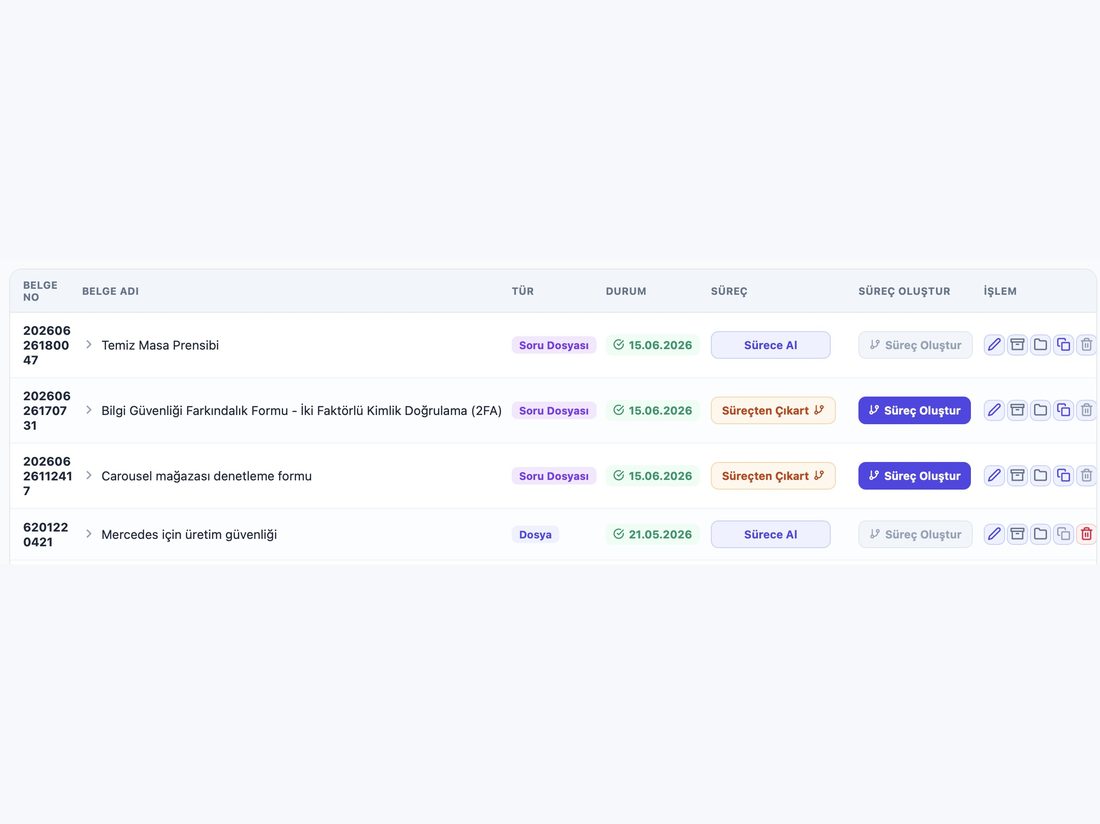
- Document report
- Tasks opened per document.
- Task report
- Breakdown by status, owner and deadline.
- Form report
- Completion status of your question files.
Product screens
Screenshots from a demo account running on real data.
Who uses it?
- Compliance and regulatory teams
- Turn a change into a task, assign it, and show the record at audit time.
- Quality and management-system owners
- Define periodic checks as forms and track completion.
- Internal audit and risk
- The audit trail forms itself, because every task records its legal basis.
- Company and SME managers
- See open tasks, overdue items and followed legislation on one dashboard.
Frequently asked questions
How do I involve someone outside the company?
Add them as an external participant; they receive a form link and fill it in without an account. They cannot see your company documents.
Can I see which provision a task came from?
Yes. The link to the legislative article is permanent.
Is the record kept after a task closes?
Yes, together with who did what and when.